RAUM invitation code or pairing code?
Already have a RAUM account? Connect your headset in 4 steps with a pairing code — no new invitation needed.
Already a RAUM user? You don’t have to wait for a new invitation.
Create a 9-digit pairing code yourself in RAUM manage. It works just like an invitation code and connects your headset or device to your existing account.
1. log in to RAUM manage
Open manage.raum.app on your computer or phone
and log in with your RAUM account.
2. open your devices
Click your profile in the top right corner
and select Devices.
3. create your pairing code
Click Pairing code.
RAUM creates a new 9-digit code for you.
Note: hurry up, a pairing code is valid for only 5 minutes.
If it has expired, simply create a new one.
4. enter it in your headset
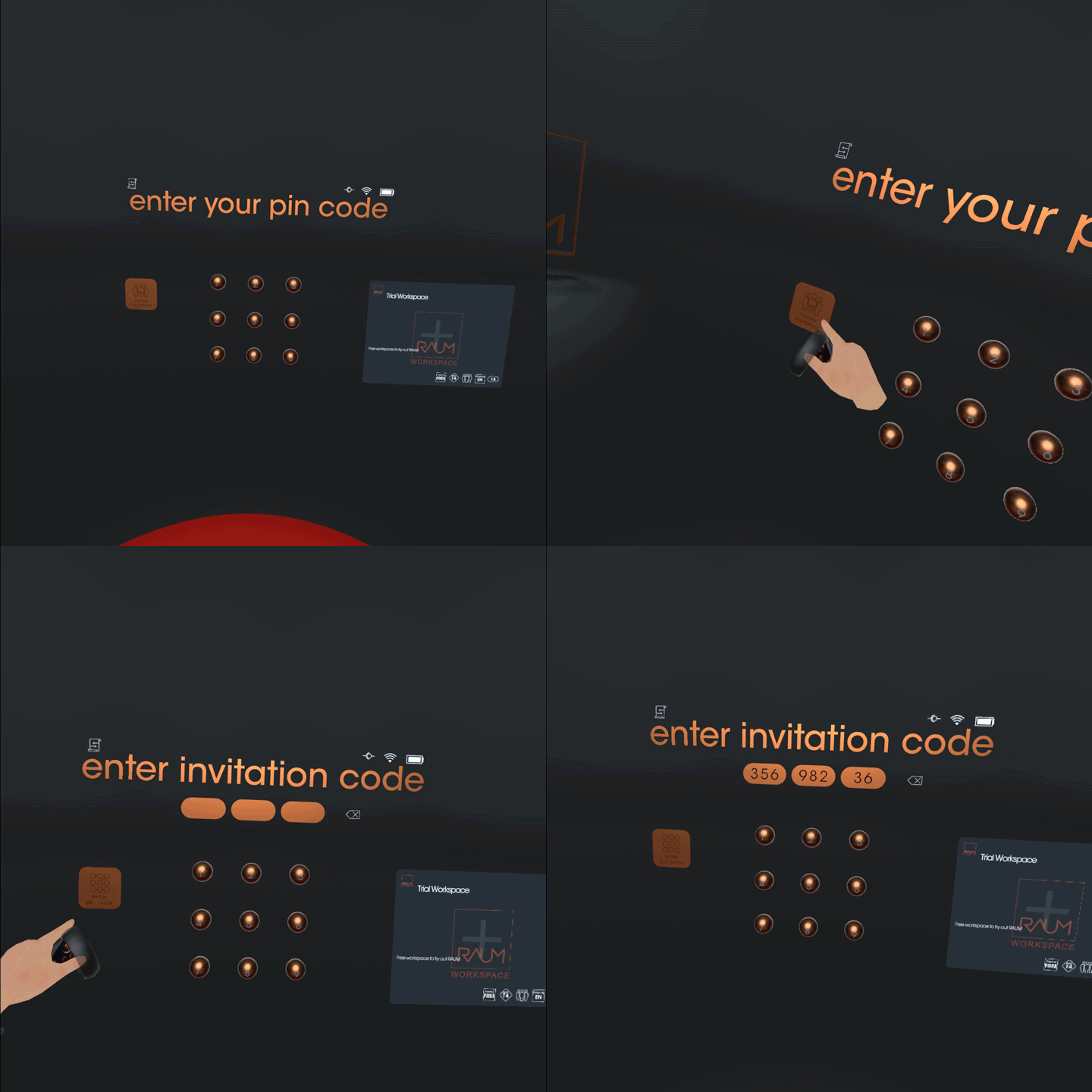
Start RAUM in your headset and enter the 9-digit code with your virtual finger — just like an invitation code.
Your headset is now connected to your account and you’re back in your virtual worlds.
Want to connect another device? Just repeat these steps — you can pair several devices with one account.
is my invitation code still valid?
Yes. Invitation codes work as before: you receive one in the invitation email when someone invites you to RAUM. The pairing code is the same idea for people who already have an account — instead of waiting for an invitation, you create the code yourself.
| Invitation code | Pairing code | |
|---|---|---|
| Who it’s for | Anyone who is invited to RAUM | Existing RAUM users |
| Where you get it | In the invitation email | manage.raum.app → Profile → Devices → Pairing code |
| What it does | Connects your device to RAUM | Connects your device to your existing account |
| Valid for | 3 days | 5 minutes |
| Format | 9 digits | 9 digits |
Common questions
I already have a RAUM account. Do I need a new invitation code?
No. You can create a 9-digit pairing code yourself at manage.raum.app under Profile → Devices → Pairing code. It works just like an invitation code and connects your device to your existing account.
How long is a pairing code valid?
A pairing code is valid for 5 minutes. If it has expired before you entered it, simply create a new one in RAUM manage.
Can I connect more than one device to my account?
Yes. You can pair several devices with your RAUM account, for example a second headset. Simply create a new pairing code in RAUM manage for each device you want to connect.
I have a new VR headset. How do I get back into my RAUM workspaces?
Install RAUM on the headset (see Downloads), create a pairing code at manage.raum.app under Profile → Devices, and enter the 9-digit code in RAUM on your headset. The headset is then linked to your account and your workspaces are available again.
My invitation code doesn’t work. What should I do?
Check that you entered all 9 digits correctly and that the invitation is still valid. If it has expired, ask the person who invited you to send a new one. If you already have a RAUM account, you can also create a pairing code yourself at manage.raum.app.