
Microsoft’s Work Trend Index 2023 put a number on it: 68% of people say they don’t have enough uninterrupted focus time during the workday. That figure predates back-to-back video calls as the default mode of remote work. Those calls carry some of the blame. Stanford researcher Jeremy Bailenson identified why in 2021: sustained unnatural eye contact, self-monitoring from your own face on screen, and the cognitive overhead of parsing nonverbal cues through a compressed feed. Video calls solved remote presence — and created a new one.
A virtual reality meeting is pitched as the fix. This post gives you an honest take — what the research says about VR meetings, where they fall short, and when they’re genuinely worth the headset.
Key Takeaways
- A 2023 field study measured 34% lower cognitive load in virtual reality meetings vs. video calls, with higher social presence and engagement.
- VR meetings work best for workshops, design reviews, and collaborative sessions — not daily standups. Use the right tool for the right meeting.
- The market consolidated in early 2026: Horizon Workrooms and MeetInVR both shut down. The remaining virtual reality meeting platforms have proven their staying power.
- Getting started takes a VR headset (Meta Quest 3 is the common entry point) and about five minutes of setup. Your third session will feel natural.
- 3D model walkthroughs, spatial whiteboards, and persistent meeting rooms make VR a different category from screen-share tools.
What Is a Virtual Reality Meeting?
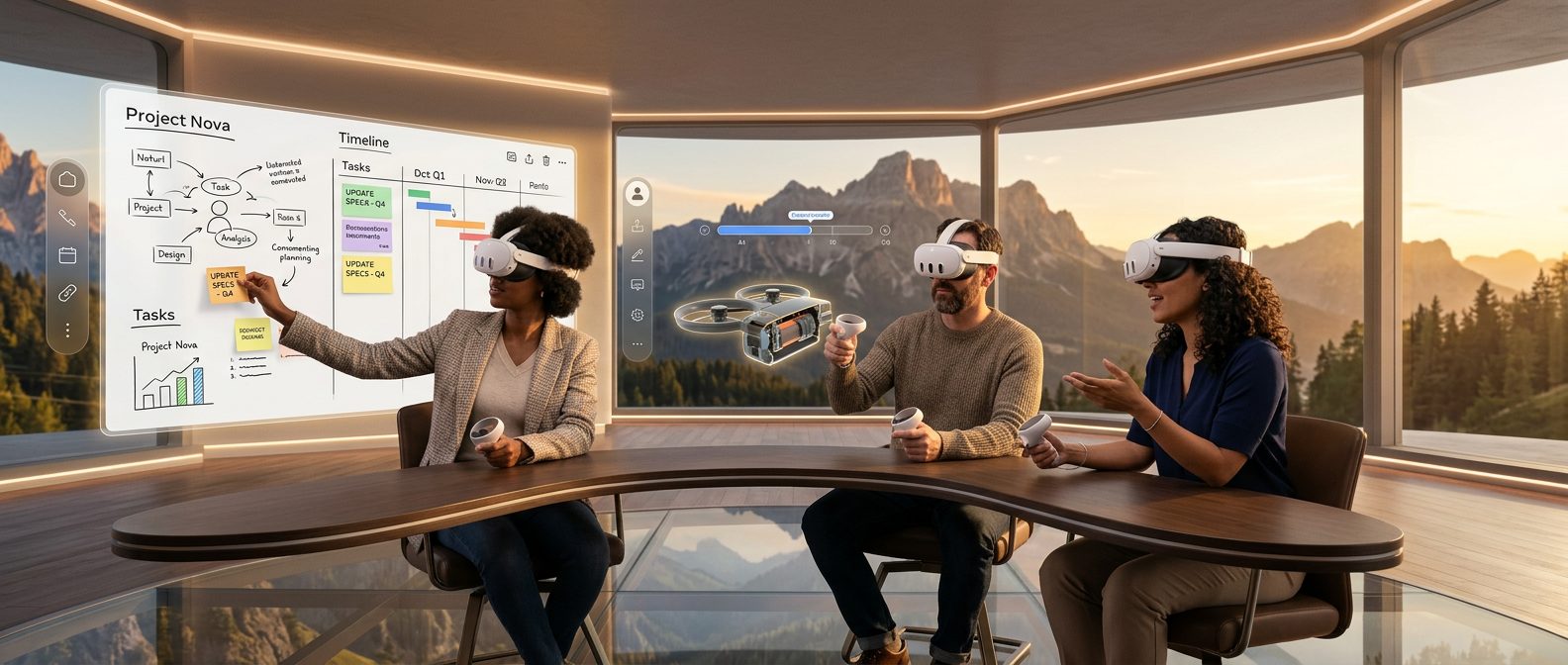
A virtual reality meeting is a shared three-dimensional environment where participants join as avatars and hear each other through spatial audio. They interact with collaborative tools — whiteboards, 3D models, sticky notes — as objects in a room they occupy together. Unlike a video call’s flat grid of faces, a VR meeting places everyone in the same space.
Spatial audio is the detail that matters most. Your voice comes from wherever your avatar stands, so a side conversation with a colleague sounds like one. Collaboration tools follow the same logic. Whiteboards, sticky notes, 3D file walkthroughs, and voting tools exist as objects in the room that every participant can walk up to, write on, or move.
Hardware requirement: a VR headset (Meta Quest 3, Apple Vision Pro) is what creates the immersive experience.
The meeting requires putting on the headset. That’s the point.
VR Meetings vs. Video Calls: A Practical Comparison
This isn’t an either/or argument. The question is which tool fits which meeting. One study has numbers. A 2023 field study in GMS Journal for Medical Education measured ~34% lower extraneous cognitive load in VR than in video conferencing (2.14 vs. 3.23 on a standardized scale), with higher social presence and engagement.
| Factor | Video Call | VR Meeting |
|---|---|---|
| Presence / focus | Faces on a grid; easy to mentally check out | Shared physical-feeling space; harder to drift — ~34% lower cognitive load (GMS study) |
| Collaboration tools | Screen share, chat, basic whiteboard | Persistent 3D whiteboards, sticky notes, 3D file walkthroughs, spatial annotations |
| Fatigue | Bailenson (2021): unnatural eye contact, mirror anxiety, compressed nonverbal cues | Lower cognitive load; social presence closer to in-person; avatar removes mirror anxiety |
| Hardware needed | Any device with a camera | VR headset required (Meta Quest 3, Apple Vision Pro) |
| Setup time | Instant — click a link | 2–5 minutes first time (headset, avatar, audio calibration); subsequent meetings are fast |
| Best for | Daily standups, quick syncs, 1:1 check-ins, large all-hands | Quarterly planning, design reviews, workshops, new-hire onboarding, collaborative problem-solving |
For your Monday standup, keep using Zoom. For quarterly planning, design reviews, or new-hire onboarding — where you need people to actually think together — VR is worth trying. Accenture’s 2023 research found that 89% of C-suite executives say the metaverse will be important to their organization’s growth. IDC projects the AR/VR market at a 38.6% CAGR through 2029. VR conferencing isn’t a niche experiment anymore.
How to Run a VR Business Meeting (Step by Step)
Virtual reality business meetings run best when everyone has their avatar and audio set up before the call starts — not on it. Here’s how to make that happen.
Step 1: Get your headset ready
The Meta Quest 3 (~$500) is the most common enterprise entry point — standalone, no PC required. Charge it fully before the meeting and run any pending firmware updates.
Step 2: Choose your VR meeting space
VR meeting platforms offer virtual reality meeting room templates — boardrooms, open collaborative spaces, auditorium-style layouts, and custom branded environments for enterprise accounts. Match the space to the purpose. A formal product review works in a structured boardroom; a creative workshop calls for open space where people can spread out.
Step 3: Invite your team
Most platforms generate a join link the same way Zoom does. First-timers need about five minutes to configure their avatar and audio — brief your team in advance. Your first VR meeting will feel awkward; your third one won’t.
Step 4: Use the tools
If you run a VR meeting like a Zoom call — one person talks, everyone else sits there — you’ve gained nothing. Use the whiteboard, walk your team through the 3D mockup. The shift from passive watching to active doing is where VR earns its place.
The Best Virtual Reality Meeting Platforms in 2026
No single platform wins every use case. Virtual reality meeting software has matured enough that the decision isn’t whether to adopt it — it’s which VR meeting app fits your team.
The market consolidated significantly in early 2026. Horizon Workrooms shut down February 16 — Meta exited enterprise VR entirely, including hardware sales. MeetInVR announced its April 30 closure shortly after. Both were well-established enterprise platforms.
Their exit narrowed the field but clarified it. Our guide covers how the metaverse market is sorting itself out in detail. The platforms still standing have survived a real test of market fit.
- raum.app — VR-first platform built for professional teams. Persistent virtual reality meeting rooms, native 3D model presentation (walk your team through CAD files or architectural renders at real scale), spatial whiteboards, and branded environments. Built in Germany, strong in the DACH market, expanding globally. Enterprise pricing with team plans — [contact raum.app for pricing].
- Spatial — Visual-first collaboration with a free tier for smaller teams. Good fit for creative teams who want to pin reference boards, share 3D objects, and brainstorm in open virtual space. Enterprise plans available.
- Glue (glue.work) — Enterprise-focused VR collaboration from Finland. Structured meeting workflows, screen sharing inside VR, and IT infrastructure integration. Contact for enterprise pricing.
- EngageVR (engagevr.io) — Built for virtual events and training. Strong in education and large-audience presentations. Free tier for small sessions; enterprise pricing for organizations.
On 3D model presentation: If your team presents product designs, architectural plans, or engineering prototypes, this is where VR pulls furthest ahead of screen share. A full-scale 3D model you can walk around with colleagues is a different experience from rotating a thumbnail on a flat display. raum.app and Spatial both support native 3D file import. Spatial’s free tier handles basic walkthroughs; raum.app’s team plans cover heavier professional workflows.
The right platform is the one your team will actually use. Start with the one that matches your use case, not just your hardware.
If you’re evaluating VR for universities, see our dedicated guide: VR for Universities.
Full VR meeting platform comparison — coming soon.
The Verdict
VR meetings aren’t a replacement for video calls. They’re a better tool for specific use cases — the ones where presence, focus, and active collaboration matter. The research supports it.
For weekly standups, Zoom is fine. For workshops, design reviews, or remote onboarding — where you need people to think together in the same space — give VR a real try. The difference isn’t cosmetic.
raum.app is built for exactly this — [try it with your team].
FAQs
What is a virtual reality meeting?
A virtual reality meeting places participants in a shared three-dimensional environment as avatars, connected through spatial audio. Unlike a video call’s grid of faces, VR meeting participants share a room with collaborative tools — whiteboards, sticky notes, 3D files — that everyone can interact with simultaneously.
Do you need a VR headset for a VR meeting?
Yes — the headset is what makes it a VR meeting. A Meta Quest 3 or Apple Vision Pro gives you spatial presence, directional audio, and collaborative tools that differentiate VR from a video call. raum.app is built headset-first — the full experience is designed around the immersive environment a headset provides.
Are VR meetings better than Zoom?
For specific use cases, yes. A 2023 field study in GMS Journal for Medical Education measured approximately 34% lower extraneous cognitive load in VR vs. video conferencing, along with higher social presence and engagement. VR is a complement to video calling, not a replacement.
How do virtual reality meeting rooms work?
Platforms create persistent three-dimensional environments where participants join as avatars with spatial audio — your voice comes from wherever your avatar stands, so conversations have natural directionality. Whiteboards, sticky notes, and 3D files exist as objects in the space that every participant can see and interact with at once.
What’s the best VR meeting app for business?
raum.app is built VR-first for professional teams — focused on the meeting experience, not social or gaming. Spatial offers a free tier for smaller teams. Horizon Workrooms and MeetInVR both shut down in early 2026; if you’re migrating, raum.app’s Workrooms and MeetInVR migration guides walk through the transition.