
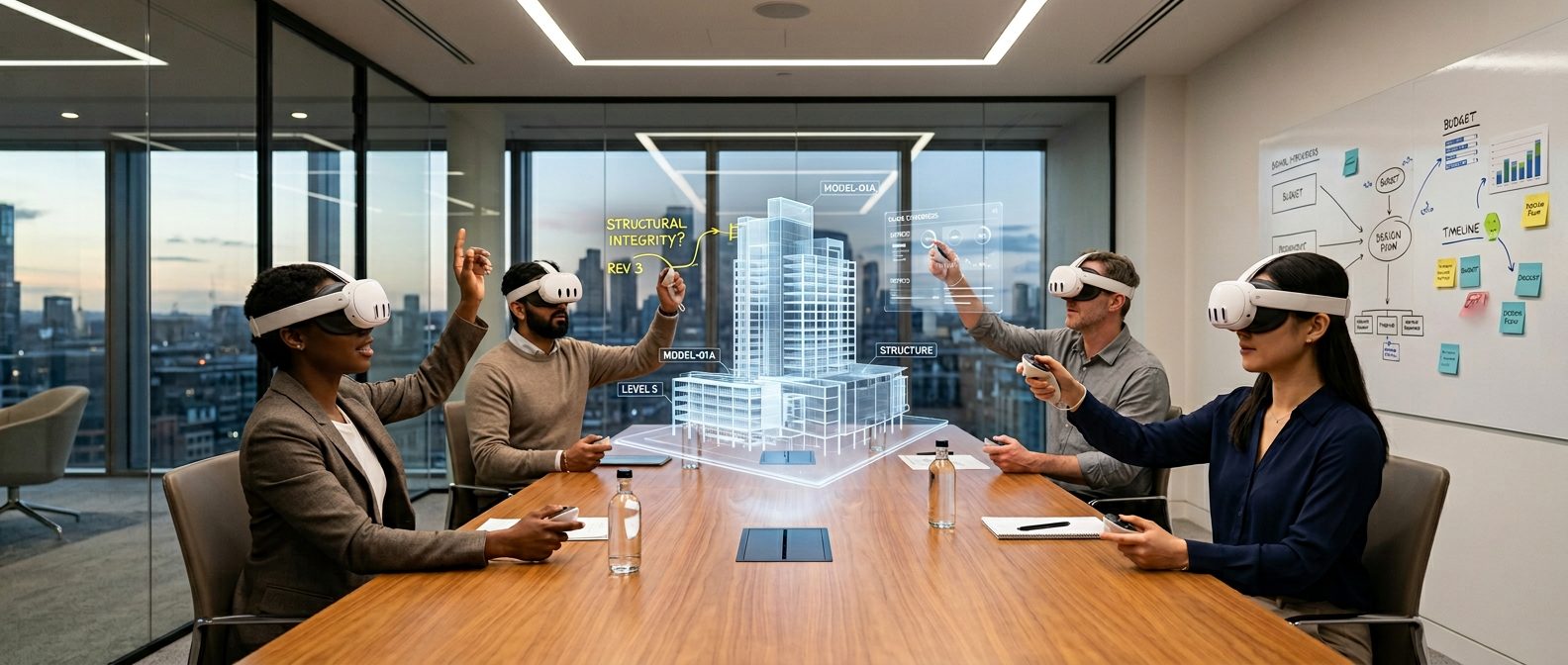
Meta shut down Horizon Workrooms on February 16, 2026. The enterprise VR market didn’t collapse — it cleared out.
The companies that remain are building something different. Grand View Research projects the enterprise metaverse market at $59.87 billion in 2026, growing at a 41.1% CAGR to $667 billion by 2033. Enterprise VR and enterprise XR aren’t slowing down — if anything, the consolidation accelerated adoption among organizations that were already serious about deployment. The hype left. The infrastructure stayed.
This post covers what enterprise VR looks like now: real use cases with named companies, the operational problems nobody warns you about, and how to build a business case your CFO will approve. You’ll also see which platforms survived the consolidation.
What Is Enterprise VR — And How Is It Different from Consumer VR?
Enterprise VR is virtual reality hardware and software deployed within organizations for professional purposes — meetings, training, design review, and collaboration. It is not gaming, not consumer entertainment. The distinction matters because enterprise VR is a buying decision, not a personal one. IT, procurement, and compliance are involved before a single headset reaches an employee’s desk.
The broader umbrella term is XR — extended reality — which covers VR, augmented reality (AR), and mixed reality (MR). You’ll also hear “enterprise metaverse,” which describes shared virtual environments built for business functions rather than social interaction. These terms overlap. What matters is the application: professionals using immersive technology to do real work. For a broader look at where the metaverse stands in 2026, see our guide on how to get into the metaverse.
Enterprise virtual reality differs from consumer VR at every level. A consumer buys a Meta Quest 3 for gaming. An enterprise deploys 200 headsets across four offices, manages firmware updates centrally, and answers to a CISO asking what spatial data the platform collects. Apple Vision Pro introduced a new wave of interest. Companies that dismissed Quest-based VR are now evaluating spatial computing enterprise workflows for the first time.
The hardware improved. The organizational challenge didn’t. Consumer demand, meanwhile, is sliding — IDC expects mixed and virtual reality headset shipments to fall 42.8% in 2025, as the consumer bet that VR would replace the smartphone stalled. Yet IDC still projects the broader AR/VR market at a 38.6% CAGR through 2029. That growth isn’t coming from gamers. It’s coming from companies deploying VR as infrastructure.
What VR Headsets Should You Deploy?
Hardware is the first question every enterprise VR rollout has to answer — and the answer is rarely one device for everyone. The right enterprise VR headset depends on the use case, the budget per seat, and how tightly IT needs to manage the fleet. Here’s how the 2026 field breaks down.
Standalone, mainstream — for meetings, training, and broad rollouts:
- Meta Quest 3 ($499) and Quest 3S ($299) — the default for most enterprise VR deployments. Strong mixed reality, the largest app ecosystem, and the lowest entry cost. Best when you’re rolling out to hundreds of users and want proven, affordable hardware.
- Pico 4 Ultra Enterprise (~$800) — Quest 3-class capability with an explicit enterprise product structure: built-in business tooling, kiosk mode, and management features aimed at IT from the start. The strongest value pick when you want a dedicated business headset rather than a consumer device managed after the fact.
Premium, high-fidelity — for design review, CAD, and executive workflows:
- Apple Vision Pro ($3,499) — industry-leading visual precision for CAD visualization, design collaboration, and stakeholder presentations. Reserved for high-value workflows, not fleet-wide rollout.
- Varjo XR-4 (from $3,990) — human-eye resolution for niche industrial and simulation use cases where visual fidelity is non-negotiable.
- Samsung Galaxy XR ($1,799) — a newer Android XR entrant positioned between the mainstream and premium tiers.
The practical pattern: most organizations standardize on Quest 3/3S or Pico 4 Ultra Enterprise for broad meeting and training deployments, then add a small number of premium headsets for the teams that need them. Whatever you choose, the headset is the platform — buy for the workflow, not the spec sheet. And budget for management tooling before you order hardware, because a fleet you can’t update or secure is a pilot that never reaches production.
Why Companies Are Adopting Enterprise VR Now
Five forces are pushing enterprise VR from pilot to production. Each maps to a different stakeholder in the buying decision — and a different fear.
Travel cost pressure. Corporate travel budgets face scrutiny every quarter, and remote-first teams still need face time for complex decisions. VR meetings eliminate flights for recurring cross-office collaboration — weekly design reviews, monthly leadership syncs, quarterly planning sessions. For organizations with three or more offices, the math is straightforward: headset cost plus platform license versus twelve months of airfare, hotels, and lost productivity from travel days.
Training that sticks. E-learning completion rates have plateaued across industries. PwC’s VR training study found that VR learners completed training 4x faster and felt 275% more confident applying their skills afterward. The economics work too: VR training reaches cost parity with classroom training at 375 learners and becomes 52% cheaper at 3,000.
Remote collaboration quality. Video call fatigue is documented and measurable — and it compounds over months of back-to-back virtual meetings. A 2023 field study in GMS Journal for Medical Education found that VR induced approximately 34% lower extraneous cognitive load than video conferencing. Spatial presence creates the engagement that flat screens cannot replicate.
Talent attraction and retention. Next-generation employees expect modern tools — not another Zoom link. Indiana’s Department of Child Services cut first-year caseworker turnover from 53% to 19% after deploying VR job simulations built by Accenture. The VR experience gave new hires a realistic preview of emotionally demanding work before day one. That preview filtered out poor fits and prepared those who stayed.
The Meta exit forced a reckoning. Horizon Workrooms shut down in February 2026. MeetInVR announced its closure shortly after. These exits didn’t kill enterprise VR — they forced organizations to evaluate which platforms are built for the long term, not bolted onto a consumer ecosystem.
What Enterprise VR Actually Looks Like in Practice
The theory sounds compelling. What does VR for business actually look like in practice? Four use cases dominate enterprise VR today — each with named companies and measurable outcomes.
Meetings and collaboration. Distributed teams meet in shared virtual spaces with spatial audio, 3D whiteboards, and walkaround presence. The format works best for sessions that require active participation — quarterly planning, design critiques, strategy workshops. Arthur.digital runs VR collaboration sessions for PwC, NTT DATA, and Western Digital. These aren’t demo days. They’re recurring workflows where teams make real decisions without booking flights. For a deeper look at how VR meetings compare to video calls, we covered the research separately.
Training and onboarding. Enterprise VR training is where immersive technology shows the clearest ROI. Strivr powers VR training for Walmart across 10,000+ locations — associates practice customer interactions and safety procedures in simulated environments before handling them on the floor. Bank of America deployed VR training for over 50,000 employees. Tyson Foods reported a 20%+ reduction in workplace injuries after rolling out VR safety training. The pattern is consistent: high-stakes, procedural tasks train better in VR than in a classroom or an e-learning module.
Choosing how to run VR training is its own buying decision — dedicated training platforms like Strivr are only one of two viable routes, and many organizations run instructor-led training on a general-purpose VR collaboration platform instead. Our enterprise VR training buyer’s guide breaks down both categories, what each really costs, and how to deploy past the pilot.
Design review and prototyping. Engineering and architecture teams review 3D models at full scale in VR — catching spatial issues that flat screens hide. A structural problem obvious at human scale can disappear on a 2D monitor. Volvo uses VR for vehicle design reviews. The Woco Group runs collaborative prototyping sessions through Arthur, letting distributed engineering teams walk around and annotate the same model simultaneously. Catching a design flaw in VR costs a meeting; catching it after fabrication costs a production run.
Sales enablement and virtual showrooms. Product demonstrations in VR let prospects interact with complex products before purchasing. rooom.com powers virtual showrooms for enterprises that sell physical products too large, too expensive, or too complex for a traditional demo environment. The format works particularly well for manufacturing, real estate, and automotive — industries where seeing the product at scale changes the buying decision.
These aren’t experiments — Walmart has 10,000 VR training locations, and PwC quantified the ROI. The question is no longer whether enterprise VR works — it’s whether your organization is ready for full-scale deployment.
The Hard Parts Nobody Talks About
Enterprise VR works. Enterprise VR deployment is where most companies stall. Here are the five operational challenges that vendor marketing won’t mention.
Device management is harder than you think. IT teams manage laptops with Intune or Jamf. VR headsets don’t fit neatly into those workflows. Firmware updates, app distribution, device tracking across multiple offices, and charging logistics all require purpose-built tooling. The two dedicated VR device management platforms are ArborXR and ManageXR — both remotely deploy apps, push content and firmware updates, lock headsets into kiosk mode, and monitor usage across Meta Quest, Pico, and HTC fleets. They differ mainly in audience: ArborXR is built for IT teams running large fleets, with bulk enrollment and detailed device analytics; ManageXR favors a simpler interface for non-technical admins and faster enrollment. This gap got more urgent in 2026 — Meta stopped new registrations for its Horizon Managed Services in February (existing customers are supported only through January 2030), so its built-in Device Manager now leans on third-party MDMs like ArborXR, ManageXR, and Intune for serious fleet control. Our enterprise VR deployment guide walks through the full stack — the MDM choice, app distribution, and the rollout playbook. Plan for this layer before ordering hardware.
User adoption is the real risk. A pilot with 20 enthusiasts is not a production deployment. Scaling to 200 regular users introduces motion discomfort, unfamiliarity with controllers, and resistance from senior staff who see VR as a novelty. Most VR pilots that fail do so because of user friction, not technology limitations. Successful deployments designate internal VR champions per team and start with use cases where the advantage is obvious enough to overcome initial awkwardness.
The pilot-to-production gap kills momentum. UC Today frames 2026 as the year enterprise VR moves “from pilot to infrastructure.” Most companies ran VR pilots in 2023–2024. Many stalled — the executive champion left, IT raised security concerns, or the pilot couldn’t demonstrate ROI within a single quarterly review cycle. The fix is designing the pilot with production in mind from day one.
Network and bandwidth requirements are non-trivial. VR platforms need stable, low-latency connections — typically under 50ms round-trip for comfortable interaction. Corporate VPNs and firewalls can interfere with real-time spatial data streams. IT teams need to evaluate bandwidth per concurrent user, test firewall rules, and plan for peak usage before committing to a company-wide rollout. A failed VR meeting due to lag is worse than a Zoom call, because it reinforces the narrative that VR isn’t ready.
Data privacy demands a clear policy. VR devices collect spatial data, movement patterns, and in some cases gaze and eye-tracking data. Organizations need to understand what data the platform collects, where it’s stored, and how GDPR applies to biometric and behavioral information captured during VR sessions. Get this answer before procurement signs.
None of these are reasons to avoid enterprise VR. They’re reasons to plan the deployment properly — which starts with the business case.
How to Build an Internal Business Case for VR
The Innovation Lead needs to survive a CFO conversation. Here’s the framework.
The ROI math for training. PwC’s research puts the break-even point at 375 learners — that’s where VR training matches classroom costs. At 3,000 learners, VR training is 52% cheaper. The VR training ROI case is strongest for enterprise deployments with recurring compliance, safety, or onboarding programs — the math works within 12–18 months. Put that number on a slide.
The travel cost argument. The formula is simple: multiply the number of cross-office meetings per year by the average travel cost per trip. Compare that to headset cost plus annual platform license. For companies with three or more offices running monthly cross-site sessions, the travel savings alone can justify the hardware investment within one fiscal year.
The productivity argument. VR meetings reduce cognitive load — 34% lower than video calls, per the GMS study. Less meeting fatigue means more productive hours after the meeting ends. This metric is harder to quantify in a spreadsheet, but it resonates with HR and operations leaders who track engagement and burnout. Frame it as a retention play: fewer exhausting meetings means less quiet quitting.
Structure your pilot for success. Don’t start with “let’s try VR for everything.” Pick one use case, one team, and one measurable outcome. Run for 90 days.
Measure before and after with the same KPIs you’d use for any initiative — retention rates, time to completion, travel spend, engagement scores. Present results with real numbers, not anecdotes. The pilot that succeeds is the one designed to produce a CFO-ready slide deck.
Who’s Still Standing — The Enterprise VR Landscape in 2026
The market consolidated in early 2026. Two major platforms exited within weeks of each other. The remaining vendors fall into three categories — and which category fits your organization depends on the use case you’re solving.
VR-first meetings and collaboration:
- raum.app — premium, fully-immersive VR meetings built for professional teams.
- Glue (now Glue by Hyperspace) — persistent virtual workspaces. A cautionary case: the original Helsinki company went bankrupt in 2024, and the platform was rescued through acquisition by Hyperspace, under whose ownership it continues to operate.
- Arthur — spatial computing platform with AI-powered avatars, used by PwC and NTT DATA.
Training and simulation:
- Strivr — enterprise training at scale. Powers VR programs at Walmart (10,000+ locations) and Bank of America (50,000+ employees).
- Wonda — immersive learning platform with a focus on education and corporate L&D.
Spatial computing and 3D visualization:
- rooom.com — virtual showrooms and 3D content for enterprises selling complex physical products.
- Immersed — productivity-focused VR with Apple Vision Pro support for individual and team workflows.
What exited:
- Horizon Workrooms — Meta shut it down in February 2026, exiting enterprise VR entirely.
- MeetInVR — closed April 30, 2026. Cited Meta’s exit as the trigger.
- Spatial — a partial retreat, not an exit. Spatial sunset its free consumer “Creator Platform” on July 27, 2026 while keeping its enterprise product running. It is the clearest sign yet that the shakeout is hitting consumer VR, not enterprise VR.
- Engage XR — On September 1, 2026 ENGAGE XR Enters Liquidation
The vendors that remain are the ones that built for enterprise from day one — not consumer platforms that bolted on business features. If your organization is evaluating enterprise VR platforms, start with the use case and work backward to the vendor, not the other way around.
How to Evaluate an Enterprise VR Vendor
The platform exits of 2026 made one lesson clear: choose for longevity, not just features. Before signing a multi-year contract, pressure-test every shortlisted vendor on six questions.
- Long-term viability. Who owns the company, how is it funded, and is enterprise its core business or a side bet? The platforms that retreated were the consumer-first ones.
- Stability and support. What’s the uptime track record, the SLA, and the real response time when a session fails mid-meeting? Reliability is the difference between adoption and abandonment.
- Hardware flexibility. Does it support the headsets you’re standardizing on — and more than one vendor’s, so you aren’t locked to a single hardware roadmap?
- Security and data. What spatial, movement, and biometric data is collected, where is it stored, and does it pass your GDPR and compliance review?
- Licensing model. Does the vendor offer per-user licensing, an enterprise agreement, or both — and where is the crossover point at your seat count? A per-seat price that looks cheap at pilot scale can become the most expensive line item at rollout.
- Scale path. Can it go from a 20-person pilot to a 500-seat deployment without re-platforming?
The vendors that came through the consolidation are the ones that answer these without hedging.
FAQs
What is enterprise VR?
Enterprise VR is virtual reality hardware and software deployed within organizations for professional purposes — meetings, training, design review, and collaboration. Unlike consumer VR, which centers on gaming and entertainment, enterprise VR involves IT procurement, compliance evaluation, and organizational change management. The buying decision sits with a committee, not an individual.
Is the metaverse still relevant for enterprise in 2026?
The hype-cycle version of the metaverse collapsed — the consumer-facing promises of 2021 didn’t materialize. The enterprise version is a different story. Shared virtual environments for specific business functions like meetings, training, and design review are growing. Grand View Research projects the enterprise metaverse market at $59.87 billion in 2026 with a 41.1% CAGR through 2033. Meta’s exit cleared out the consumer experiments. The platforms that remain are purpose-built for enterprise workflows.
How much does enterprise VR cost?
Hardware ranges from roughly $299 (Meta Quest 3S) and $499 (Quest 3) for mainstream deployments up to $3,499 (Apple Vision Pro) and $3,990+ (Varjo XR-4) for premium use cases, with the Pico 4 Ultra Enterprise around $800 in between. But hardware is only part of total cost of ownership — budget also for platform licensing, device management tooling, network upgrades, and admin time. Platform licensing varies by vendor and seat count, similar to other SaaS tools. PwC’s research shows VR training reaches cost parity with classroom training at 375 learners and becomes 52% cheaper at 3,000. For collaboration use cases, compare total headset-plus-license costs against your annual travel expenses for cross-office meetings.
What’s the best VR headset for enterprise?
There’s no single best enterprise VR headset — the right choice depends on use case and budget. For broad meeting and training rollouts, the Meta Quest 3 ($499) and Quest 3S ($299) offer the best balance of capability, ecosystem, and cost, while the Pico 4 Ultra Enterprise (~$800) adds built-in business and management tooling. For high-fidelity design review, CAD, and executive workflows, the Apple Vision Pro ($3,499) and Varjo XR-4 (from $3,990) lead on visual precision. Most organizations standardize on a mainstream headset for the fleet and add a few premium units for the teams that need them.
What’s the difference between per-user and enterprise VR licenses?
Per-user (or per-seat) licensing charges for each named user or active headset, much like a typical SaaS subscription — simple to start, but costs scale linearly as you add people. Enterprise licensing is a negotiated organization-wide agreement, usually with volume pricing, centralized administration, security and compliance terms, and support SLAs built in. The crossover point is typically a few dozen seats: below it, per-user is cheaper and easier; above it, an enterprise license lowers the per-seat cost and gives procurement the contractual guarantees it needs for a multi-year commitment.
What happened to Horizon Workrooms?
Meta shut down Horizon Workrooms on February 16, 2026, exiting enterprise VR entirely. The company laid off 10% of Reality Labs and stopped managed hardware sales for businesses. Teams that relied on Workrooms have migrated to independent platforms — raum.app’s migration guide covers the transition for enterprise teams.
How do you manage VR headsets across an organization?
Traditional MDM tools like Intune and Jamf offer limited VR support — most were designed for laptops and phones, not headsets. The two dedicated VR device management platforms, ArborXR and ManageXR, handle firmware updates, app and content distribution, kiosk mode, and fleet tracking across Meta Quest, Pico, and HTC headsets; ArborXR targets large IT-managed fleets, while ManageXR offers a simpler interface for non-technical admins. This matters more in 2026 because Meta stopped new Horizon Managed Services registrations in February (existing customers are supported through January 2030), pushing organizations toward these third-party MDMs. Start with a small fleet of 10–20 devices, establish update and charging protocols, assign device ownership to specific teams, and scale only after the management workflow is reliable.
What are the best enterprise VR use cases?
The highest-ROI use cases with documented outcomes are employee training (PwC: 4x faster, 275% more confident), safety training (Tyson Foods: 20%+ injury reduction), and onboarding (Indiana DCS: turnover cut from 53% to 19%). Cross-office meetings also show strong results — 34% lower cognitive load than video calls. Design review and virtual showrooms are growing categories with less published data.
Is VR training more effective than classroom training?
For procedural, spatial, and high-stakes scenarios, yes. PwC’s study showed VR learners completed training 4x faster and felt 275% more confident applying skills afterward. The emotional connection was 3.75x stronger than classroom instruction. The advantage is strongest for experiential learning — safety procedures, customer interactions, equipment operation — not for reading-heavy or lecture-based content where traditional formats work fine. For how to choose between a dedicated training platform and a general-purpose VR platform — and what each costs — see our enterprise VR training buyer’s guide.